DvdConverter.APP – Convert DVDs to Digital on Windows
Fast, secure, and easy-to-use DVD ripping software for Windows 10 and 11.
Preserve your DVD collection by converting discs to MP4, MKV, or AVI.
Avoid scratched or unreadable discs and enjoy your movies, home videos, and collections on laptops, TVs, tablets, or cloud storage.
DvdConverter.APP is designed for anyone who wants to back up, digitize, or copy DVDs on Windows.
Whether it’s movies, TV shows, or home videos, our software makes DVD to digital conversion fast and frustration-free.
⚡ Fast DVD ripping
Convert DVDs into digital files in minutes with optimized speed.
🎬 Multiple video formats
Export to MP4, MKV, AVI, and more — compatible with most devices.
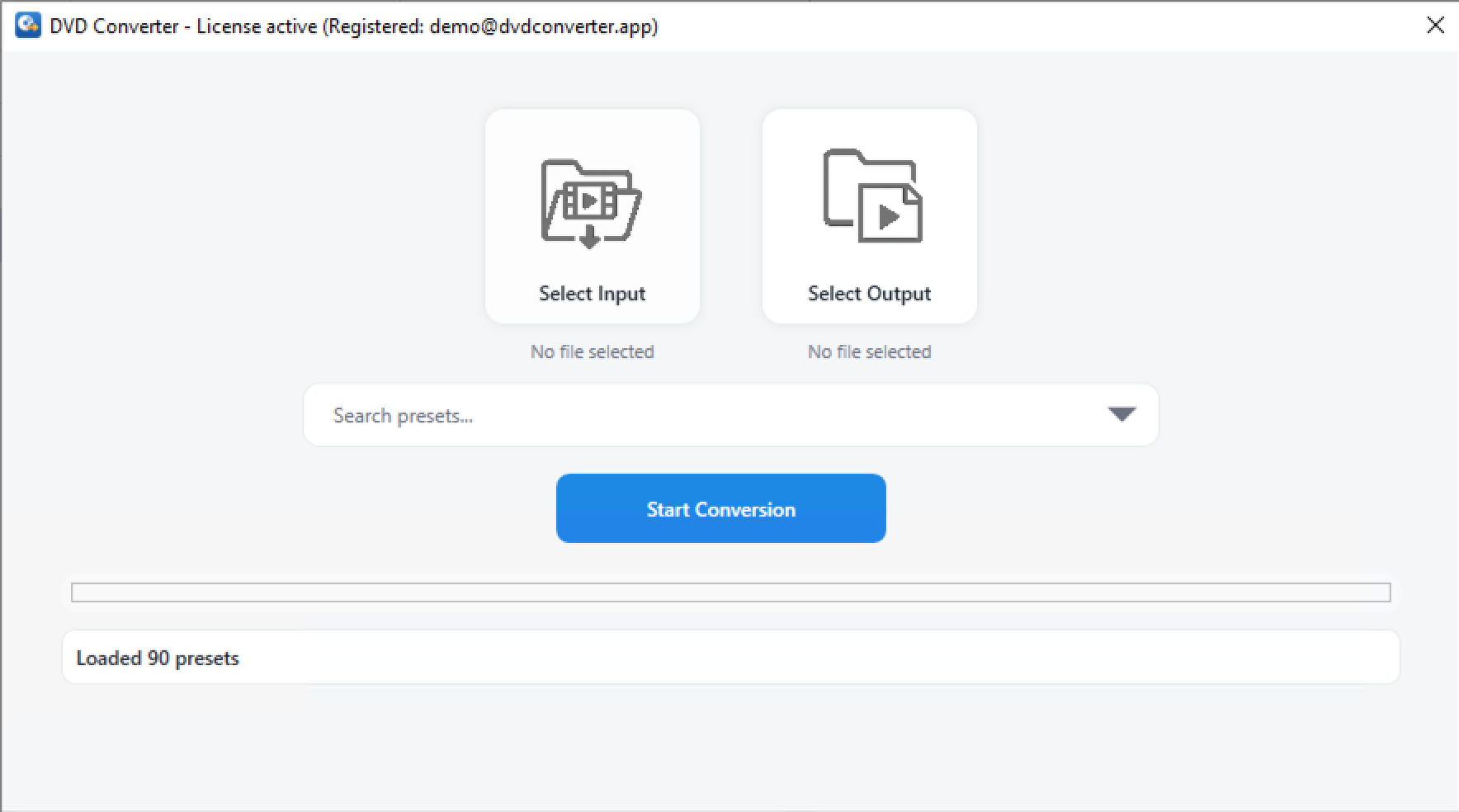
🖥️ Simple Windows interface
Clean and user-friendly, no complicated menus or setup required.
🎁 Free trial available
Test the software free for 14 days with no credit card needed.
🔒 Lightweight & safe
Secure installation with minimal system resources required.
🌟 High-quality digital output
Preserves original DVD quality when converting to digital formats.
How to Convert a DVD to Digital with DvdConverter.APP
💿
1. Insert DVD
Load your movie or video disc into the DVD drive.
⚙️
2. Choose Format
Select from MP4, MKV, AVI, or other supported formats.
▶️
3. Convert & Save
Click Convert and save your digital copy to your computer.
Pricing – DVD to Digital Conversion Made Simple
Try it free or get the Lifetime License to enjoy full features forever.
Free Trial
Convert DVDs free for 14 days. Full features included. No payment required.
Optional: $14.99/year for continued updates after 1 year
Who is DVDConverter.APP for?
Home Movie Collectors: Preserve old family DVDs by converting them into modern digital files before discs degrade.
Travelers: Copy your favorite movies to a laptop or tablet for offline viewing on flights and trips.
Archivists & Educators: Create digital backups of educational DVDs for easier access and long-term storage.
Everyday Users: Free up space by replacing stacks of discs with neatly organized digital files.
Safe and Secure Conversion
DVDConverter.APP is lightweight software built with security in mind. It does not install unwanted extras, spy on your data, or require internet access to function. All conversions happen locally on your computer, so your files remain private.
Why Choose DVDConverter.APP?
Feature
DVDConverter.APP
Other Tools
Supports modern codecs (H.265/HEVC)
✔ Yes
✘ Often missing
No watermarks in free version
✔ Yes
✘ Common limitation
User-friendly interface
✔ One-click conversion
✘ Complex settings
Lightweight, no spyware
✔ 100% clean install
✘ Risk of bloatware
Frequently Asked Questions
How do I convert a DVD to MP4 using DVDConverter.APP?
Simply insert your DVD into a compatible drive, open DVDConverter.APP, select the output format (such as MP4, MKV, or AVI), and click “Convert.” The app handles the rest automatically.
Does the software work on Windows 11?
Yes. DVDConverter.APP is fully compatible with modern Windows versions, including Windows 10 and Windows 11.
What formats are supported?
You can export your DVDs to MP4, MKV, AVI, and other popular formats. The app also supports modern codecs such as H.264 and H.265 (HEVC) for smaller file sizes and higher quality.
How long does the conversion take?
Conversion time depends on your computer’s speed and the length of the DVD. On most modern PCs, a full-length movie typically takes 20–40 minutes.
Legal & Compliance
DVDConverter.APP is intended for users who wish to back up or convert DVDs they legally own. The app does not include or distribute any decryption libraries and does not bypass copy protection systems.
Users are responsible for ensuring compliance with local copyright laws when using the software. DVDConverter.APP does not promote or support piracy or the unauthorized copying of copyrighted materials.